
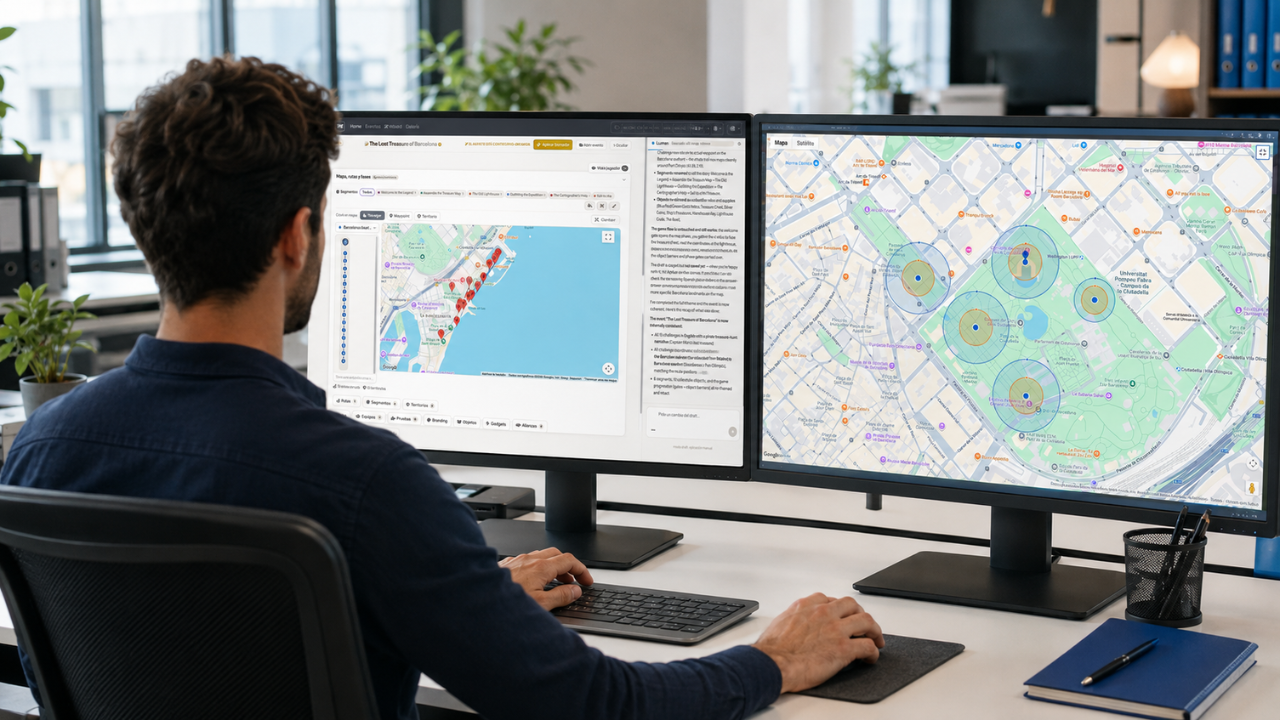
The August 2026 Mooveteam update introduces new tools for creating games faster, protecting event configurations, building interactive experiences on custom images and delivering clearer results to clients. It also expands MooveGO with improved session recovery, tracking, localization and reporting.
The update was presented to the Mooveteam partner network during our August Partner Innovation Session. Alongside the newly released features, we demonstrated the AI Game Creation Wizard in beta and revisited Territories—our strategic format for direct competition between teams.
August 2026 versions and download links
The August 2026 release is identified by the following production versions:
| Product | Version | Android | iOS |
|---|---|---|---|
| MooveXR | 2.2.0 | Find MooveXR on Google Play | Find MooveXR on the App Store |
| MooveGoXR | 1.2.0 | Find MooveGoXR on Google Play | Find MooveGoXR on the App Store |
| Mooveteam back office | 1.2.5.171 | Web platform | Web platform |
App availability and update timing may vary by operating system, device and country. After opening the store, confirm that the installed application matches the version shown above before running a live event.
What is included in the August 2026 Mooveteam update?
The August release brings improvements across MooveXR, MooveGO and the web platform:
- A complete Aztecs visual theme for MooveXR.
- Challenge Pins on Segment Images for custom maps, plans and illustrated environments.
- The AI Game Creation Wizard, currently available in beta.
- A four-digit code to lock event editing.
- Redesigned event results and reporting.
- Improved MooveGO session recovery, tracking and statistics.
- Better localization, diagnostics and an updated MooveGoXR app powered by Unity 6.
Together, these developments address three priorities shared repeatedly by our partners: reducing production time, protecting events that are ready to run and demonstrating more value to clients after an activity.
Create themed adventures with the new Aztecs visual world
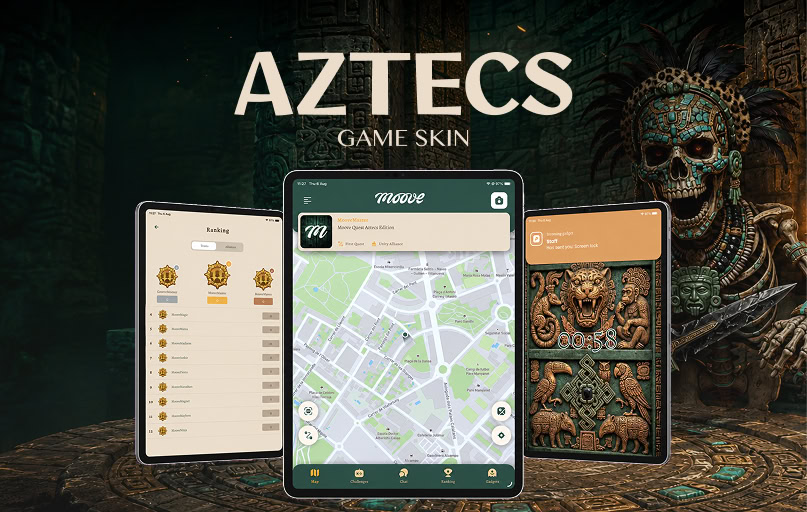
Aztecs is now part of the visual themes available within MooveXR. Partners can select it when configuring an event without needing a separate application.
The theme provides a complete visual world with dedicated layouts, gadgets, stickers and sound effects. It can be used to turn a standard GPS challenge, treasure hunt or story-driven activity into a more distinctive branded experience.
For agencies, this creates another ready-to-use creative direction that can be adapted to a client brief without designing every visual element from the beginning.
What can partners use it for?
- Archaeological and exploration adventures.
- Treasure hunts and expedition narratives.
- Corporate challenges based on discovery, strategy or lost civilizations.
- Seasonal or venue-specific experiences requiring a stronger visual identity.
Turn any image into an interactive game environment
Challenge Pins on Segment Images expands the possibilities of segments in MooveXR and MooveGoXR. Instead of relying only on a standard GPS map, partners can place challenges directly onto a static image and position each pin visually in the back office.
That image might be:
- A floor plan for an indoor venue.
- A map of a resort or exhibition.
- An illustrated fictional world.
- A shopping centre plan.
- A branded graphic created specifically for a client.
Participants can tap the pins to open challenges, while organizers decide exactly where each mission appears. Segment images can also support branching experiences: selecting one challenge can move participants to a different segment and create an adventure-style decision path.
This gives agencies more freedom to build indoor games, museum experiences, resort activities, exhibitions and narrative adventures without being limited by real-world GPS locations.
One partner immediately recognized the potential during the session:
“You could build an adventure game out of that. That’s something we’ve been looking at for a while.”
Build and adapt games faster with the AI Game Creation Wizard
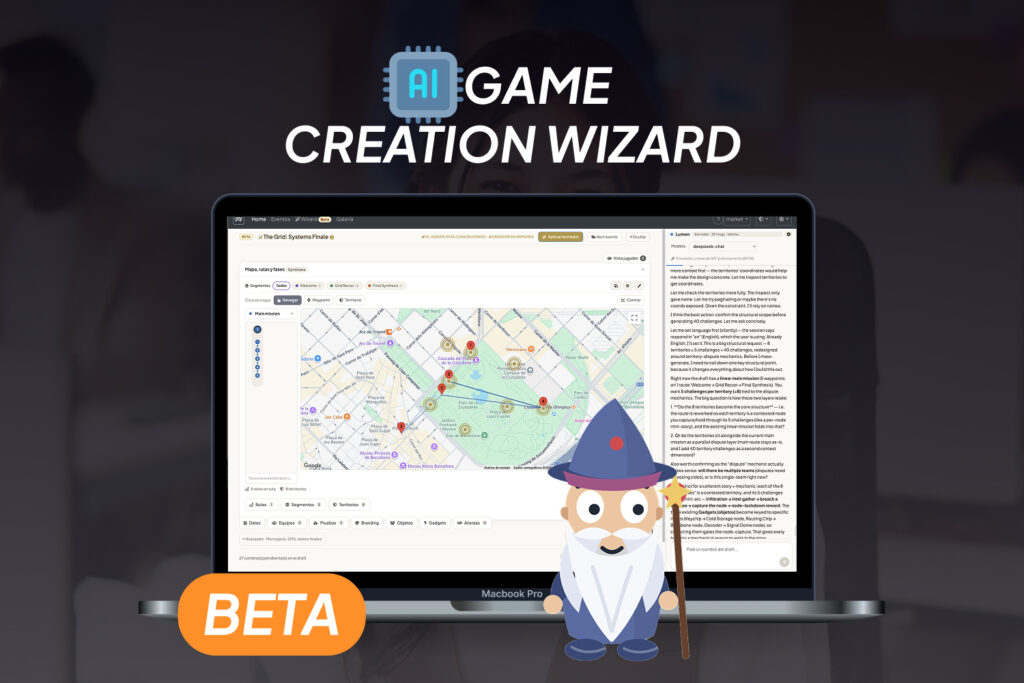
The AI Game Creation Wizard is a beta assistant designed to reduce the mechanical work involved in building an event.
Partners can work conversationally with the Wizard to create or modify teams, challenges, segments, routes and other event content. It can start from a template, work on a new draft or adapt an existing event without changing the original while the concept is still being tested.
For example, an agency could take the structure of an activity created for Bologna and ask the Wizard to adapt it for Barcelona. Once the result is ready, it can be saved as a new event.
The goal is not to replace the creativity or operational experience of the organizer. The Wizard is intended to remove repetitive steps, reduce navigation between screens and make it easier to test an idea before completing the final configuration manually.
Because the tool remains in beta, partner testing is essential. Current priorities include improving accuracy, simplifying responses, refining the interface and introducing more useful personalization for individual users.
Protect finished events with a four-digit lock code
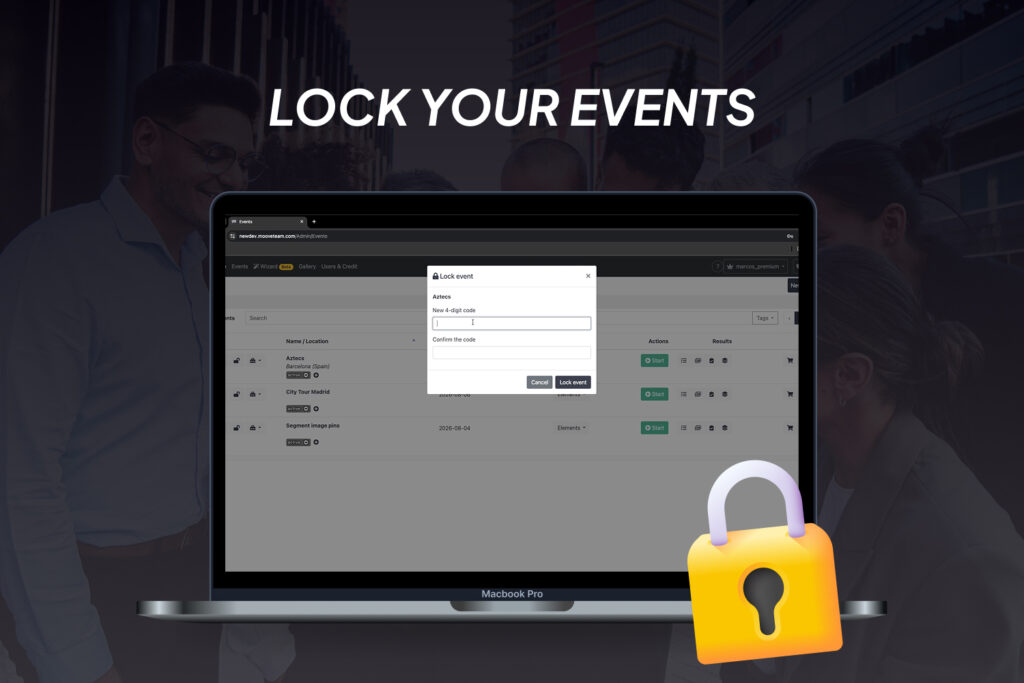
When several people collaborate in the same back office, an event can be modified accidentally after the setup has been approved. The new event-locking control helps prevent this.
An administrator can protect an event with a four-digit code. Once locked, its configuration cannot be edited until the correct code is entered.
This provides additional control when:
- A game has completed its final quality check.
- Freelancers or multiple operators share an account.
- A template must remain unchanged for future copies.
- An event is about to go live and last-minute edits would create risk.
The result is a safer handover between game creators, project managers and event operators.
Present clearer results to clients
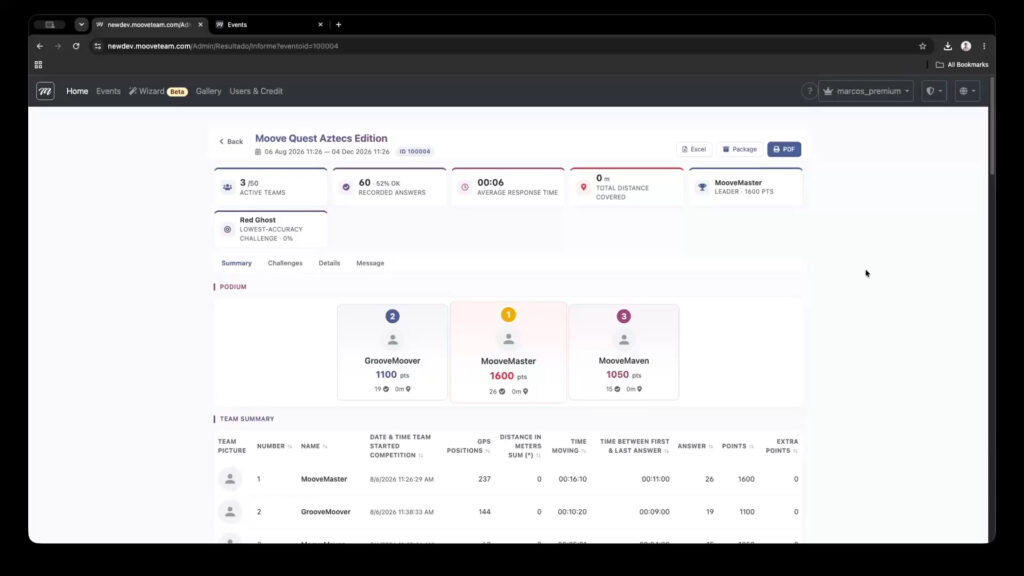
MooveXR event reporting has also been redesigned. Instead of relying on a single static results screen, partners can navigate clearer views of performance and choose the level of detail they need.
The available information includes:
- Overall results and podium positions.
- Team-by-team summaries.
- Challenge success rates and response times.
- Individual answers, points and activity details.
- Gadget and message history.
- Export options for Excel, package and PDF formats.
Better reporting makes it easier to review what happened, resolve operational questions and provide clients with a useful post-event summary. If a partner needs another metric or a different presentation of the information, the reporting system can continue evolving around real event requirements.
What has improved in MooveGO?
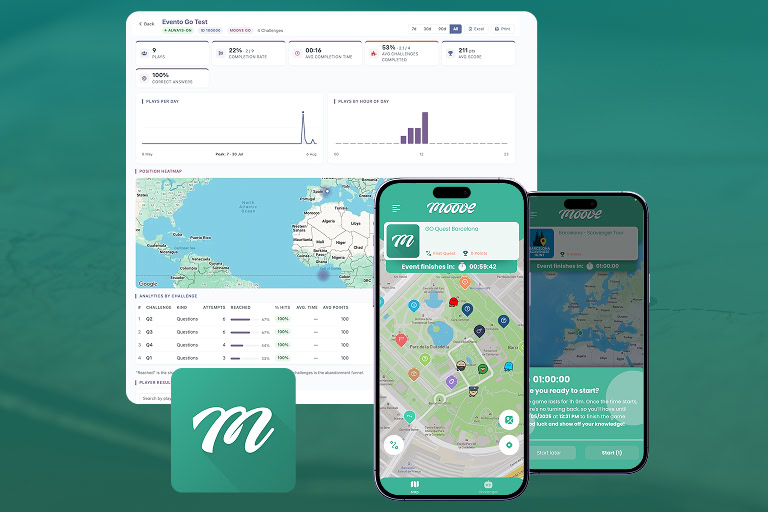
The August developments also strengthen the experience for partners operating self-guided games through MooveGO.
Session recovery
Participants can recover an active session on another device instead of restarting the activity. Recovery codes are available through the back office, giving operators a faster way to help when a phone is lost, replaced or unavailable.
Rebuilt reporting and tracking
The reporting, tracking and statistics pages provide a clearer view of each participant’s journey. Partners can check progress, completed and pending challenges, scores, answers and session details from a more useful operational interface.
Localization, stability and diagnostics
The participant experience has been improved across supported languages, alongside stronger diagnostic information and technical updates designed to simplify support. The updated MooveGoXR application is now powered by Unity 6.
These changes reduce disruption during self-guided activities and give tourism, culture and hospitality operators better visibility before, during and after each session.
Territories creates direct competition between teams
Territories was released before the August update, but the Partner Innovation Session provided a closer demonstration of its mechanics and commercial possibilities.
Organizers define areas on the map, the time required to capture them and the challenges that become available after conquest. Depending on the configuration, another team can attempt to take control once the cooling period has passed.
The format introduces something different from a conventional route-based activity: teams can compete directly through interactive mini-games while deciding whether to capture new areas or defend the territories they already control.
During the session, partners proposed several practical applications:
- A competitive outdoor Territories game.
- An indoor version built with segment images.
- A story-driven adventure or ghost hunt around London.
These ideas show why the Mooveteam partner network matters. A technical feature becomes commercially valuable when experienced agencies transform it into formats that clients can understand, buy and enjoy.
Developed with the Mooveteam partner network
Mooveteam has worked with event agencies and activity creators since 2012. Over that time, the platform has evolved through shared games, operational knowledge, creative resources, leads and direct product feedback.
The August session continued that process. Partners tested the Wizard, identified interface improvements and immediately began proposing new applications for Territories and segment images.
As James from ClueGo wrote during the session:
“The updates look brilliant! We already have ideas for the interactive segments.”
That exchange of knowledge is one of the most valuable parts of the Mooveteam ecosystem. Partners do not only receive new technology; they contribute to a network that has spent more than a decade learning how to create, sell and operate interactive experiences in changing market conditions.
Start testing the August updates
Partners can begin exploring the available developments in the Mooveteam back office. We encourage you to test them on draft events first and share examples, questions and improvement requests with the team.
If you are an event agency looking for a flexible platform to create GPS challenges, indoor games, branded adventures and self-guided experiences, book a Mooveteam demo.
You can also explore 10 profitable event formats agencies are selling with MooveXR in 2026 or review the earlier MooveXR 2.1.0 release for more product developments.
Existing partner? Contact the Mooveteam team with your tests, ideas and real client use cases. Your feedback helps determine what we improve next.


