
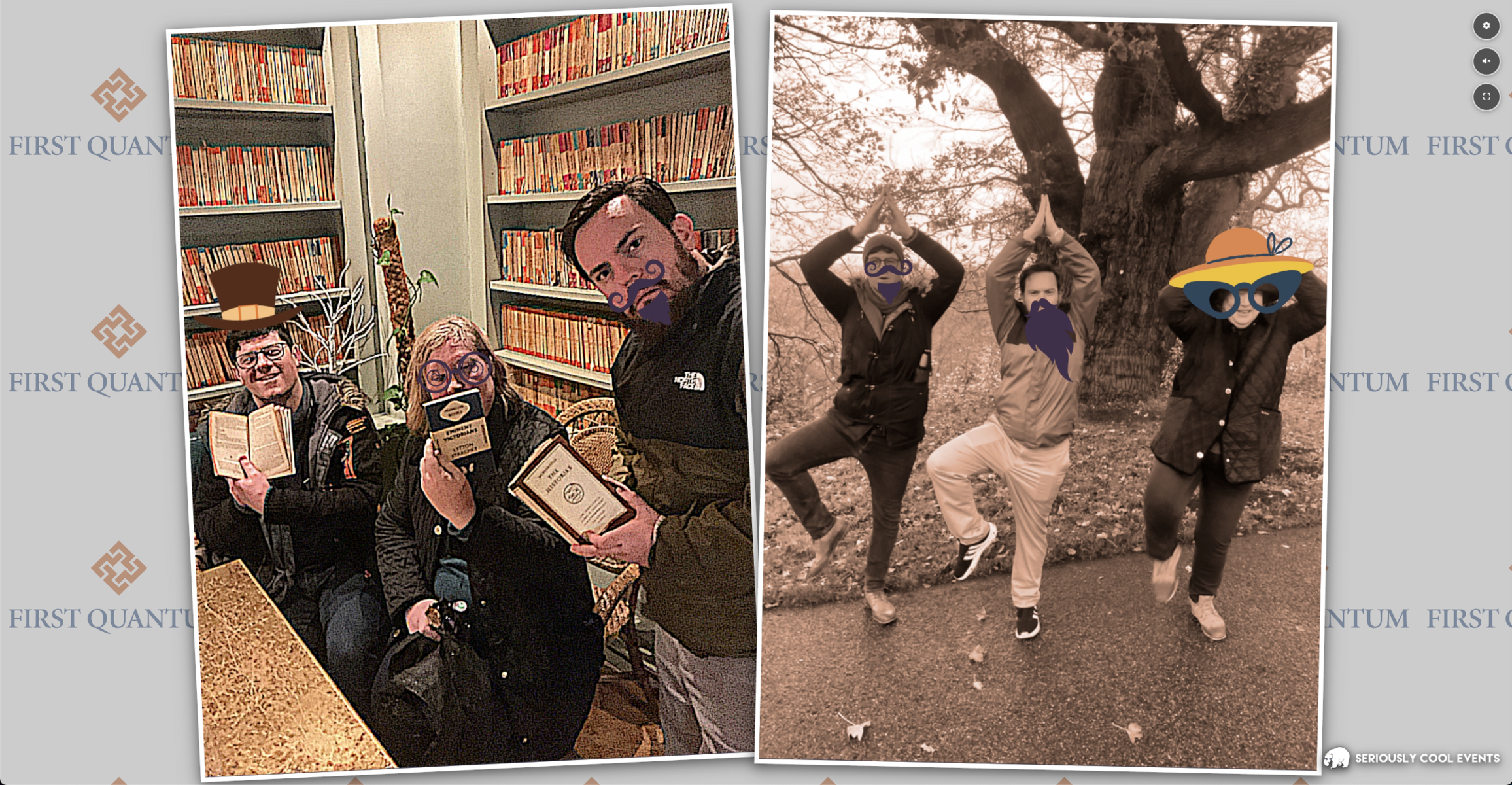
In team building, the closing moments of an event matter just as much as the challenges completed along the way. The final recap — the laughter, the photos, the shared memories — is often the spark that transforms an activity into a long-lasting emotional experience.
Today, we are excited to introduce a major update to one of Mooveteam’s most beloved features: the Photo Slideshow. This enhancement gives event planners more control, more customization, and a more engaging way to showcase the best moments captured during gameplay.
Whether you're running a corporate scavenger hunt, an indoor escape experience, or a hybrid event, this new version makes your finales even more impactful.
Why the Photo Slideshow Matters
From the beginning, the slideshow has been a core part of the Mooveteam experience. As soon as the activity ends, teams gather to relive their achievements — the funny photos, the creative challenges, the unscripted moments that define great team building.
This feature not only reinforces the emotional connection between participants but also elevates the perceived value of your event. Clients leave feeling energized, connected, and eager to book again.
The new update builds on this foundation and gives organizers the tools they need to deliver a polished, memorable closing moment every time.
What’s New in the Photo Slideshow?
1. Background Music Options
You can now enrich your slideshow by adding background music directly from the new configuration panel.
Choose from up to three curated tracks to match the tone of your event: fun, inspiring, or high-energy.
2. Adjustable Playback Speed
Control how fast the slideshow plays, customizing it to fit your agenda — slow it down for an emotional wrap-up or speed it up for lively celebrations.
3. Image Selection Control
Not every photo needs to go on the big screen. With this update, you decide which images are visible.
Highlight the best moments, remove duplicates, and craft a seamless, curated visual story.
4. Full-Screen Mode
Your slideshow now looks even better. The full-screen mode is ideal for conference rooms, closing ceremonies, and large-scale events.
5. Redesigned Configuration Panel
Everything you need is now clearly organized in one place.
You can:
- Show or hide specific photos
- Select background music
- Adjust slideshow pacing
- Preview the final result
This makes it easier than ever to refine your event’s finale — even on the spot.
Designed for Event Professionals
These improvements were designed with our partners in mind. Whether you’re running a single corporate event or delivering dozens of experiences per month, this update helps you deliver a more polished and engaging conclusion.
It also supports two key goals for agencies:
- Stronger emotional impact → Clients remember the experience more vividly
- Higher perceived value → Better presentations lead to more repeat bookings and upsell opportunities
Your Feedback Shapes Mooveteam
This update is just the beginning. We want to continue improving the Photo Slideshow and other post-event features based on your needs.
If you have ideas, suggestions, or requests, we’d love to hear from you.
📩 info@mooveteam.com
Premium Feature
The enhanced Photo Slideshow is available for all partners with a Premium Account.
If you're not using Premium yet and would like to add this feature to your events, you can explore the benefits here:
https://mooveteam.com/pricing/
Our team is happy to explain how Premium can help you elevate your offering and differentiate your services in the event market.
A Better Finish for a Better Experience
At Mooveteam, we believe that innovation should always enhance the human experience. With this update, the Photo Slideshow becomes not just a recap tool, but a storytelling moment — one that brings teams together and leaves audiences smiling.
We can’t wait to see how you use it in your upcoming events.


